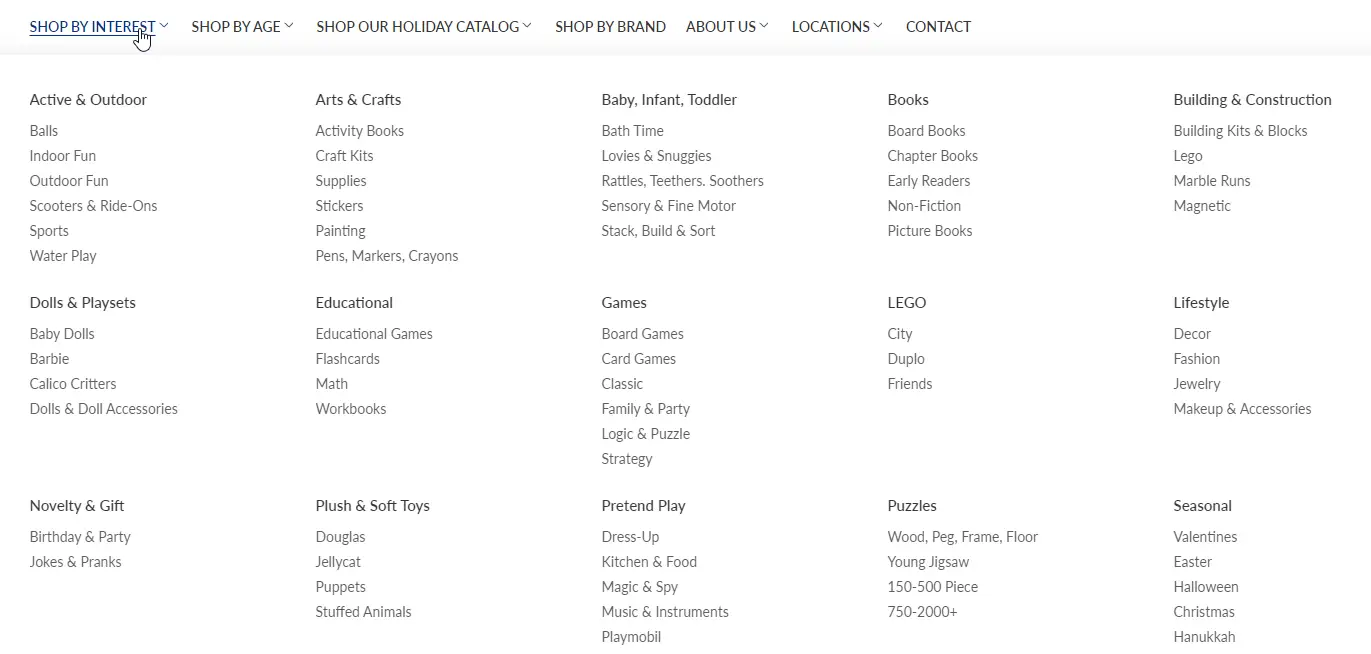
Help your shoppers find collections worth exploring. Your store’s navigation should guide shoppers toward appealing, well-stocked selections. But as inventory and seasons change, even a carefully organized mega menu can lead to sparse collections or overwhelming choices.
The Shopify Menu Report helps you see where to focus. Identify collections running low on available products, uncover opportunities to organize large selections, and keep your navigation aligned with what you have to sell.
click image to zoom in
3 Simple Steps
Import your menu data
Filter the results
Review and improve your navigation
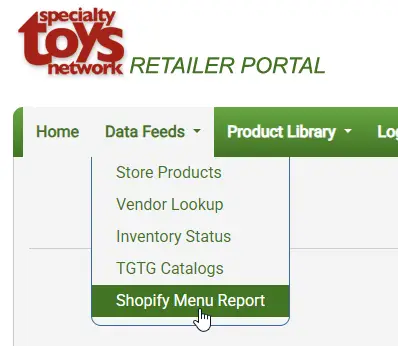
Find it in the Retail Portal under Data Feeds > Shopify Menu Report.
1. Update the report
Run an update before reviewing results so you have the latest menu and product information.
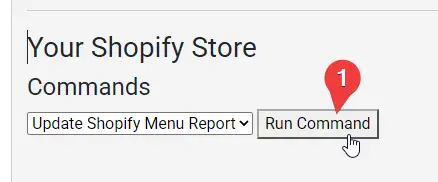
Under Commands, select Update Shopify Menu Report.
Click Run Command. A confirmation message indicates that the update has been scheduled.
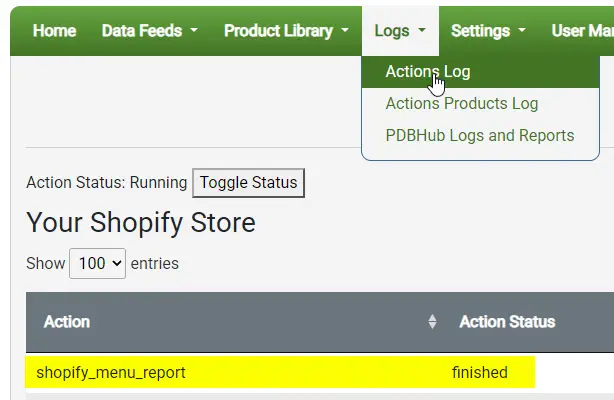
The update typically completes within 2-8 minutes to run. Open Logs > Actions Log to check the status.
Once that entry shows finished, return to Data Feeds > Shopify Menu Report and reload the report page.
Permission error?If the log shows any app permission errors, contact support@stoysnet.com. The app’s permissions must be updated by STN staff
2. Filter the results
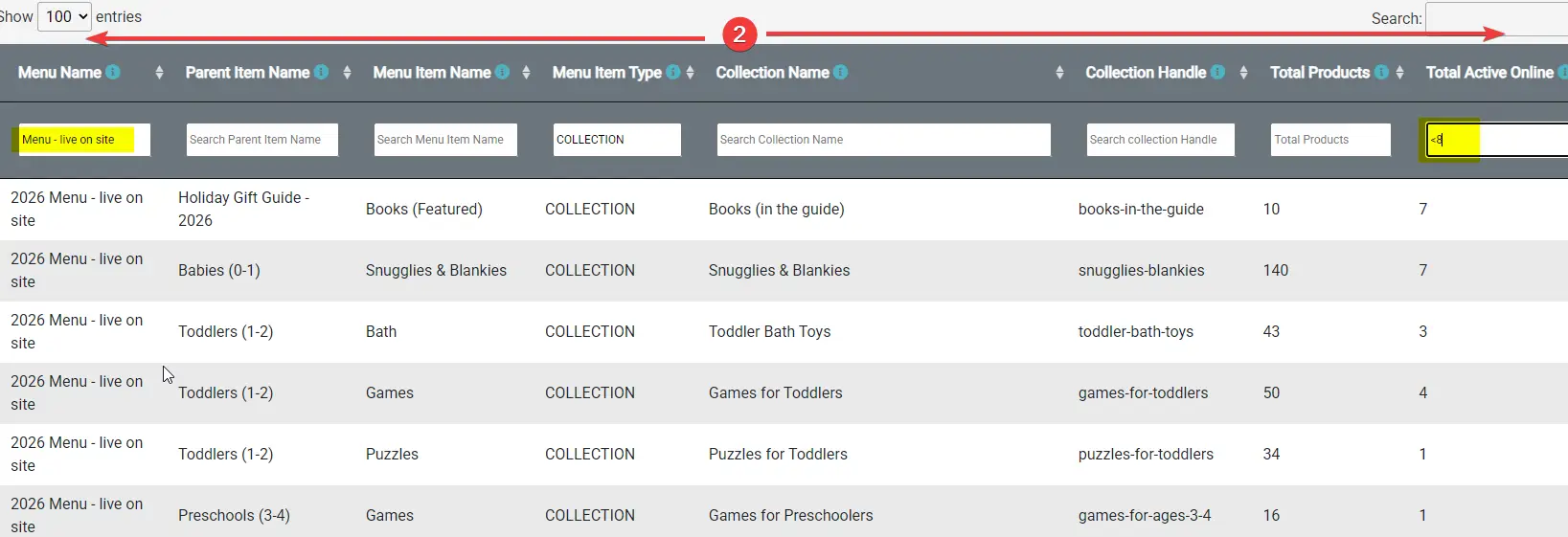
Start by filtering Menu Name for the menu you want to review. Make sure you choose the menu used on your live storefront, since the report may also include older or backup menus.
For product-count reviews, enter COLLECTION in Menu Item Type. Product counts apply only to collection links. A zero beside a Home, page, or other link type does not indicate an empty collection.
You can combine filters across multiple columns:
click image to zoom in
Column
Example filter
Purpose
Menu Name
Your live menu’s name
Focus on the navigation shoppers use
Menu Item Type
COLLECTION
Review collection links
Total Active Online
<8
Find collections with fewer than 8 available products
Total Active Online
=0
Find collections with no available products
Total Active Online
>250
Find large collections to review
Parent Item Name
Books
Review links grouped beneath Books
Numeric columns support comparison operators such as <8, =0, and >10. Text columns use text matching rather than comparison operators.
Tip: Clear any filters you no longer need when switching tasks.
Understanding product counts
Total Products shows the collection’s total product count.
Total Active Online counts products that meet all three conditions:
Have Active status in Shopify.
Are published to the Online Store.
Have total inventory greater than zero.
Out-of-stock products are excluded from Total Active Online. This is usually the most useful column for finding collections with limited available selection.
Counts reflect the last completed report update.
3. Review and improve your navigation
Every menu link should offer a worthwhile shopping destination. That does not always require a large collection. A handful of relevant products may be enough, but multiple empty or nearly empty collections can make your selection feel limited and browsing frustrating.
Collections with few or no available products
Open the collection on your storefront and consider whether it provides a useful shopping destination.
Depending on the collection, you might:
Add relevant products or review its collection rules.
Check inventory, product status, and Online Store publishing settings.
Redirect the menu link to a better-populated collection.
Temporarily remove a seasonal or depleted collection from navigation.
A small collection should be reviewed, but is not automatically a problem. A focused collection with a few relevant products may serve shoppers well, but you don’t usually want to send shoppers to multiple empty or near empty collections.
Collections with large selections
A large selection is valuable when shoppers can easily find what interests them. Collections with hundreds of products may benefit from more focused menu links organized by product type, age, interest, or another useful distinction.
Review whether your existing menu categories help shoppers explore the full selection. Some categories may need adjusting, while others may be missing from the navigation entirely. The goal is to offer clear, useful shopping paths without overwhelming shoppers with too many menu choices.
After making changes in Shopify, run the update again and reload the completed report to review the results.
4. Export your results
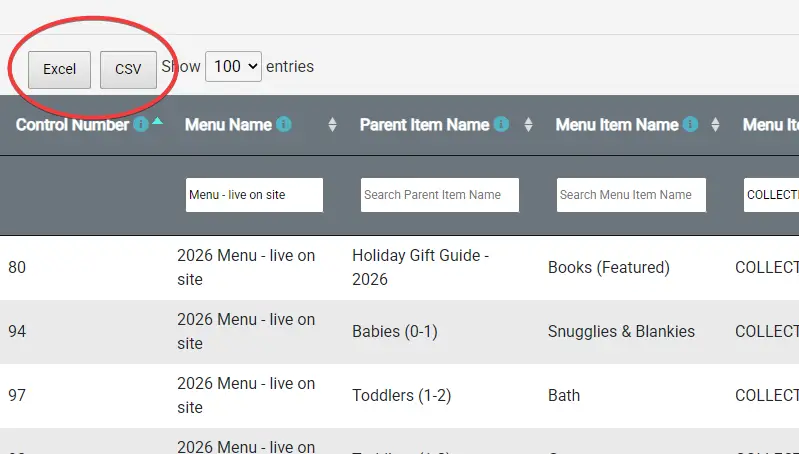
Do you want to work with the data offline? Click Excel or CSV to download the report. Exports include only the results matching your current filters.